Hello,
I like to get some clarity on the "proper" setup of POCSAG/DAPNET.
After getting registered and got password and Auth key, I created a separate profile (for testing)
In the new profile, I selected Quick Setup followed by picking POCSAG/DAPNET.
Then I selected a server from a list and provided my callsign and Auth key I was sent in the email.
Now I can see on the Status page DAPNET with a green icon
So if I understand correctly, now I can select "Stay connected in background" and if I switch to any other profile C4FM, etc I will be getting messages in the background and I would have to switch back to the DAPNET profile to read it? or if I need to send a message?
Or is DAPNET functionality available from other profiles while it is running in the background (reading and sending)?
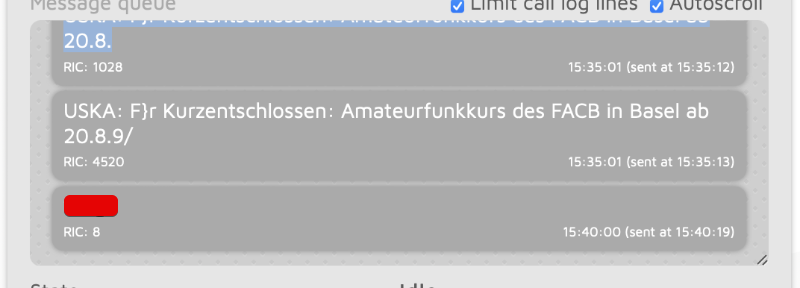
Also, what does it mean (attached screenshot) IRC: 8? I see these once in a while without sending them.
Where can I read about it?
Also, I did use Telegram POCSAG/DAPNET bot (
https://telegram.me/db0usd_dapnet_bot
) to test a message after I got /auth and followed with /call